
Already have the route for the day? KleshRoute helps you finish it.
Drop in your file. Work the stops. Quick export when you're done.
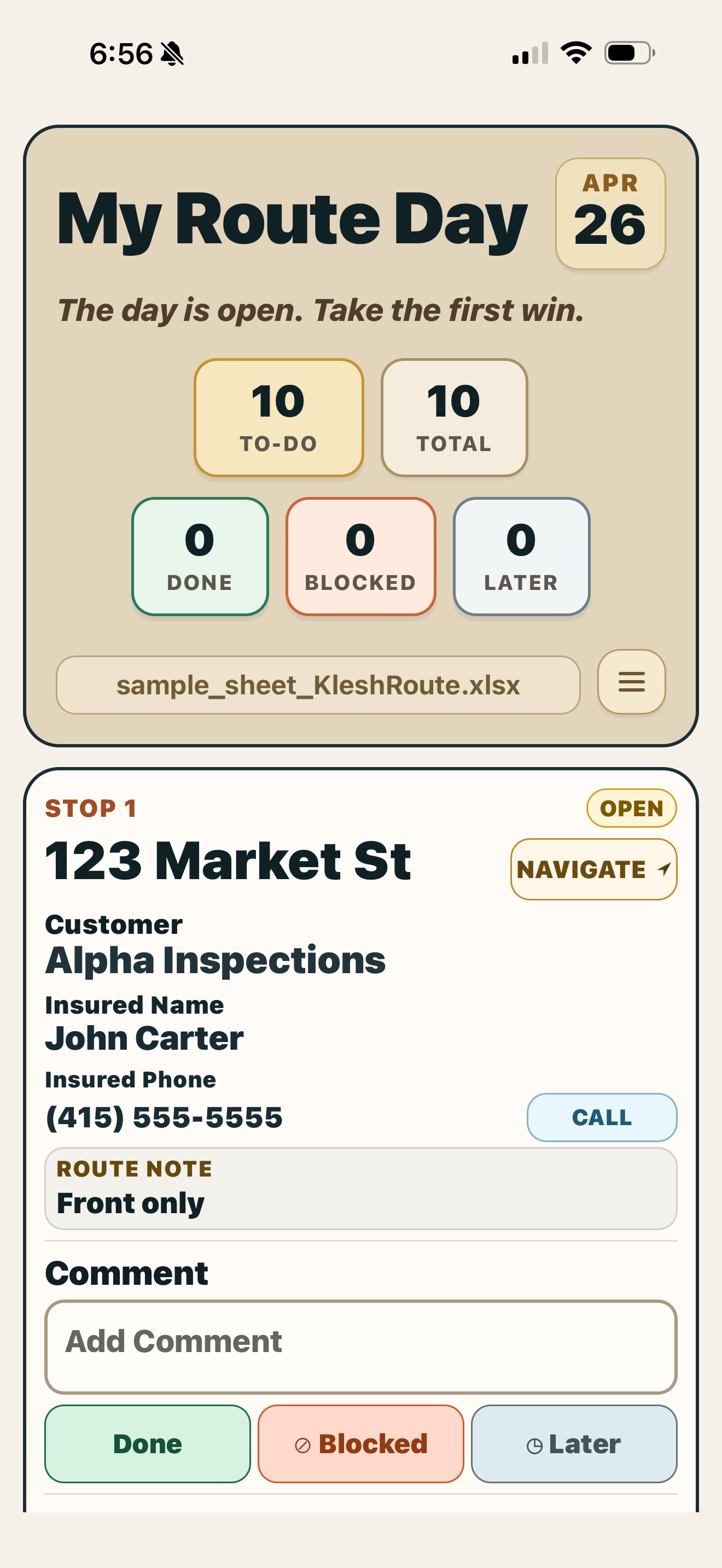
sample_sheet_KleshRoute.xlsx Open the Excel · land on the day
One app. One card. One calmer day.
Open your file. Start the route. Upload completed route. That's it.
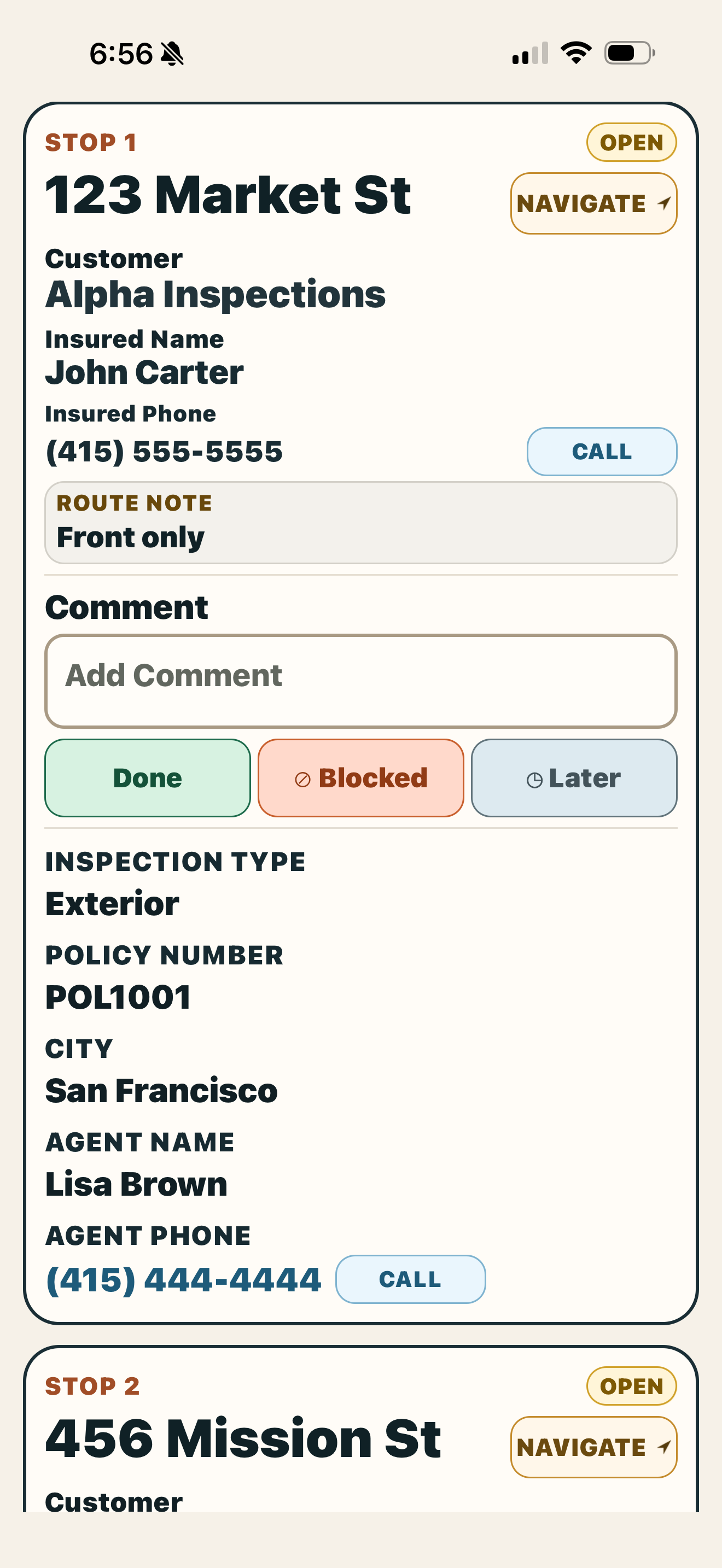
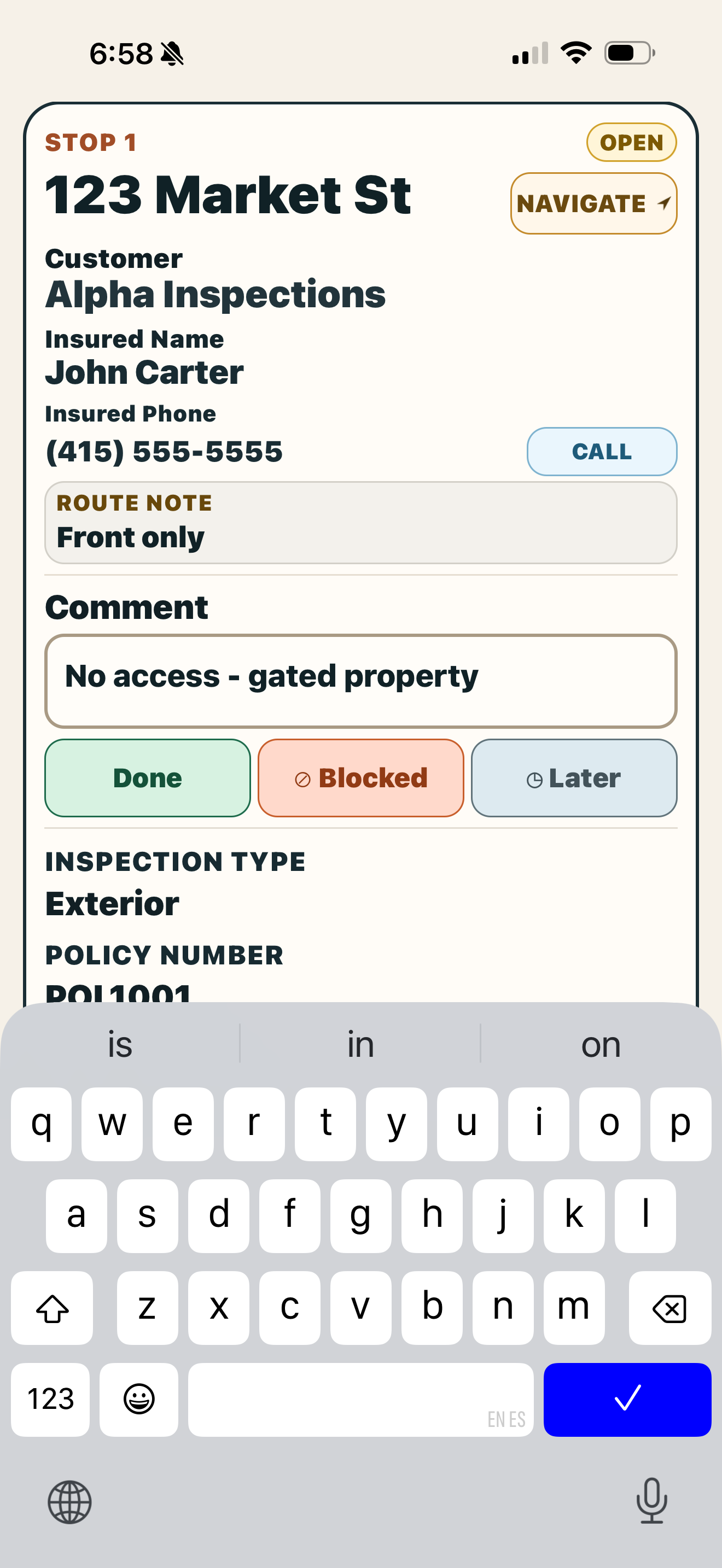
Personal execution layer for multi-stop field work.
Works alongside your company’s system.
You keep your existing route file. KleshRoute is the field layer on top.
No login. No setup. No IT.
Open the file. Start walking the route. That's it.
Built for pre-planned, multi-stop days.
Stop-by-stop dashboard, not a route planning tool.
Offline-first. Works in dead zones.
Your route progress saves locally on the phone. Service drops, the day doesn't.
- Works offline when service drops.
- Your data stays on your phone.
- Pick up where you left off, no sync ritual.
Questions you may have.
Do I have to learn a new system?
No. Your Excel file is the input and the output. KleshRoute is the middle: drop the file in, work the stops, export when you're done.
What is the main benefit of KleshRoute?
Less app switching, less route-day chaos, and more time saved in the field. Your route feels cleaner, and your head is less cluttered at the end of the day.
Is KleshRoute a route planning tool?
No, and that's the point. You already have the route. KleshRoute helps you finish it cleanly on your phone.
Does the office need to install anything?
No. The office can keep sending and receiving route files the way it already does. KleshRoute works on top of the existing process.
Does it work without signal?
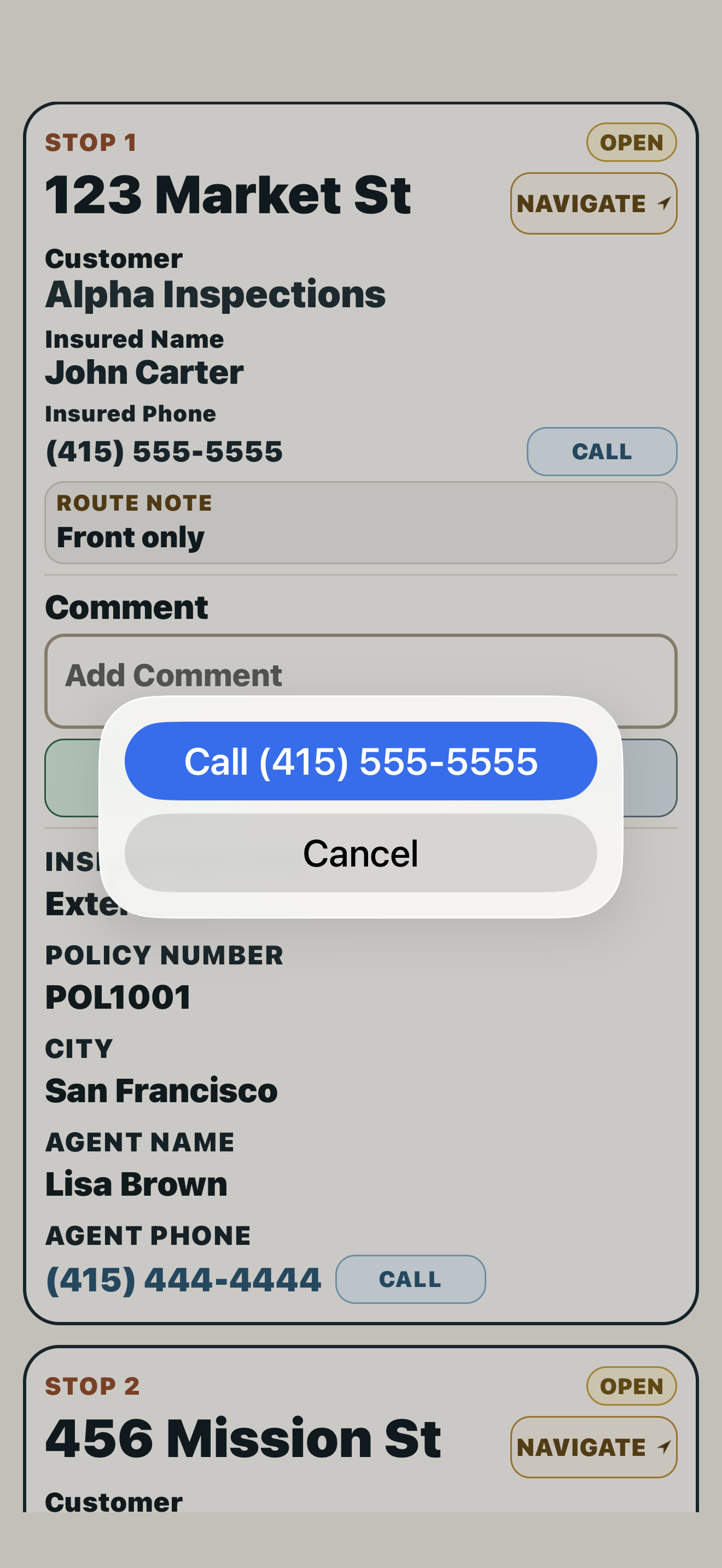
Yes. KleshRoute works offline: your route, notes, statuses, and progress live on the phone and don't need signal. Maps and phone calls still depend on your phone connection, but if you lose service mid-route, the app keeps working.
What maps does it use?
For now, KleshRoute opens stops in Apple Maps on iPhone. Navigation stays in the map app, while KleshRoute keeps your route, notes, and stop statuses organized.
Where does my data go?
Your route file stays on your phone unless you export or share it. KleshRoute is built as a field tool first, not another cloud system to manage.
Do you save customer data?
No. KleshRoute keeps the active route on your phone while you work. Customer data is not uploaded to a cloud dashboard; your notes and statuses go back into the exported route file at the end of each work day.
What does a stop look like?
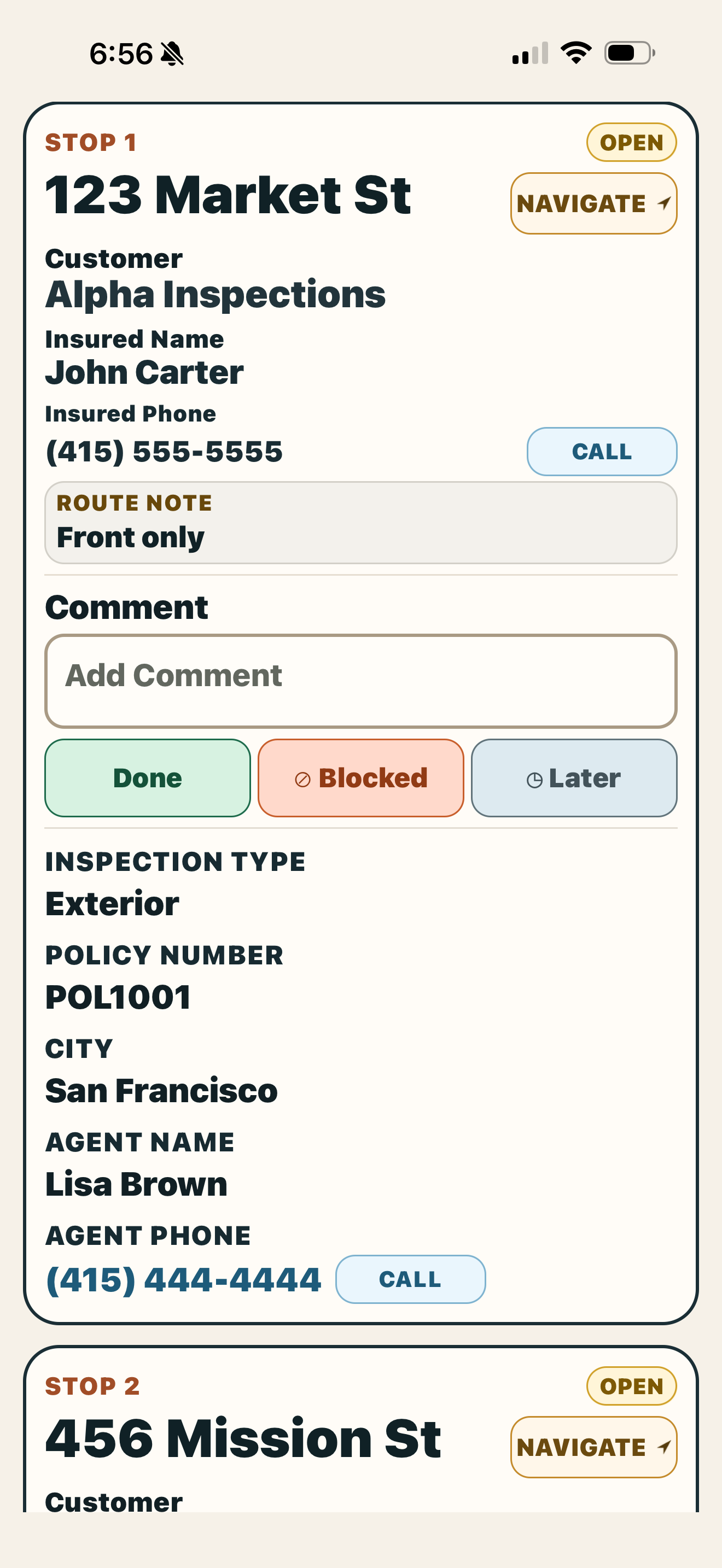
Each stop becomes one simple card: address, route note, call button, comment box, and Done / Blocked / Later actions.
Can I change a stop after I mark it?
Yes. Reopen the stop, adjust the comment or status, and keep moving.
What if my Excel file is messy?
KleshRoute expects a route sheet with one stop per row. If your file has address columns and any notes you want in the field, it can work with that. Extra columns are fine. Heavily formatted sheets with merged cells or multiple header rows may need cleanup first.
Is it iPhone only?
The beta is iPhone first. Android is a natural next step if there's enough demand from field users.
What does it cost?
Free during beta. After launch, pricing will stay simple, personal, and affordable.
What happens when I finish?
Export the updated route file with your notes and stop statuses. Send it back, save it, or keep it for your own records.
Try KleshRoute on your next route day.
Limited iPhone beta opening now for field workers who want a calmer route day. No spam, just access and product updates.
Claim a beta spot →